
Wedding invitations on WhatsApp
To send a wedding invitation on WhatsApp, you share a link rather than an image or a PDF. When they tap it, your guest opens your invitation on their phone and can RSVP, choose a menu and mention allergies without leaving it. We give you each guest’s link and a ready-written message.
Almost everyone ends up sending their wedding invitation on WhatsApp, even when it is printed: a photo of the card or a PDF. The trouble is what comes next, when replies trickle in across five different chats and somebody has to keep track of them.
A digital invitation solves exactly that. The WhatsApp message carries a link, the guest replies inside the invitation and the answer lands in your dashboard, neatly organised, with their menu and allergies. All you have to do is send the message.
Designs to send on WhatsApp
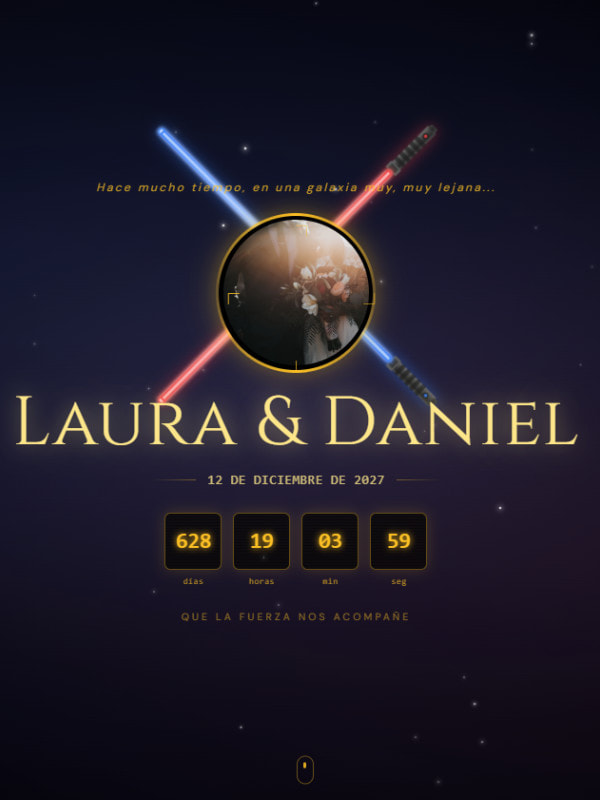
Any of our designs can be sent on WhatsApp. Open a demo on your phone and you will see exactly what your guest sees when they tap the link.

What you get to send it
One link per guest
Every guest or family has their own link with a personal code, so you know who has opened it and who still has to reply.
The message, already written
We prepare the text that goes with the link so you only have to copy and paste it, and you can personalise it with each guest’s name.
Replies without leaving the invitation
Guests RSVP, choose a menu and mention allergies on the same page. They don’t need to answer you in the chat.
In each guest’s language
The invitation can be shown in six languages, so family and friends from abroad receive theirs in their own language.
Changes without resending
If a time or a venue changes, you update it and everyone sees it on the same link. No need for a second message.
Works on any phone
It opens in the browser, on Android and iPhone, with nothing to install and no sign-up.
How to send it
Get your invitation ready
Design it yourself with the editor or let us design it. You see it finished before you pay.
Add your guests
Add each guest or family, and each one gets their own link with a personal code.
Copy and send
Copy the message with the link and send it on WhatsApp from your phone, to each person or to the family group.
See who replies
Your dashboard shows who has opened the invitation, who has replied and who has not, so you only need to remind the ones who haven’t.
Price
Sending the invitation costs nothing extra: it is a one-off payment that doesn’t depend on the number of guests or on how many messages you send.
Do it yourself
€49
One-off payment when you publish
Design it with our online editor and watch it take shape as you go. Creating and editing are free: you only pay when you decide to publish it.
Start designing for freeWe design it for you
€149
One-off payment when you approve the design
Tell us how you picture it and our team designs it to measure. We show it to you finished, with your names on it, and you only pay if you love it.
Have it designed for usWhat to write in the WhatsApp message
The message that goes with the link is the first thing your guest reads, so it is best kept short and warm: a greeting with their name, a line about the wedding and the link. There is no need to repeat the date or the address, because they are already in the invitation.
A personal message to each guest or family works better than a general announcement in a big group, where it gets lost among other messages. That is why we give you the text ready-written along with each guest’s link: just copy it, check the name and send it.
Frequently asked questions
Do you send it on WhatsApp for us?
No. We give you the link and the message ready to go, and you send them yourself from your phone. That way the message comes from someone your guests know, not from an unknown number.
Can I send it to a WhatsApp group?
You can, but it is best to send each guest or family their own link. With one shared link you wouldn’t know who has opened the invitation or who still has to reply.
Does the invitation look good when the link is opened?
It is designed for mobile: it opens full screen with the animated envelope and the music, and the RSVP sits right under your thumb.
What if someone doesn’t use WhatsApp?
The link works just as well by text message, email or any other app. And if someone replies by phone, you can add their answer yourself from the dashboard.
How do I remind guests who haven’t replied?
Your dashboard tells you who hasn’t responded yet. Just send them their link again, which stays the same.
You might also like
Ready to send it?
Design your invitation for free and send it on WhatsApp once you publish it, or let us make it for you.